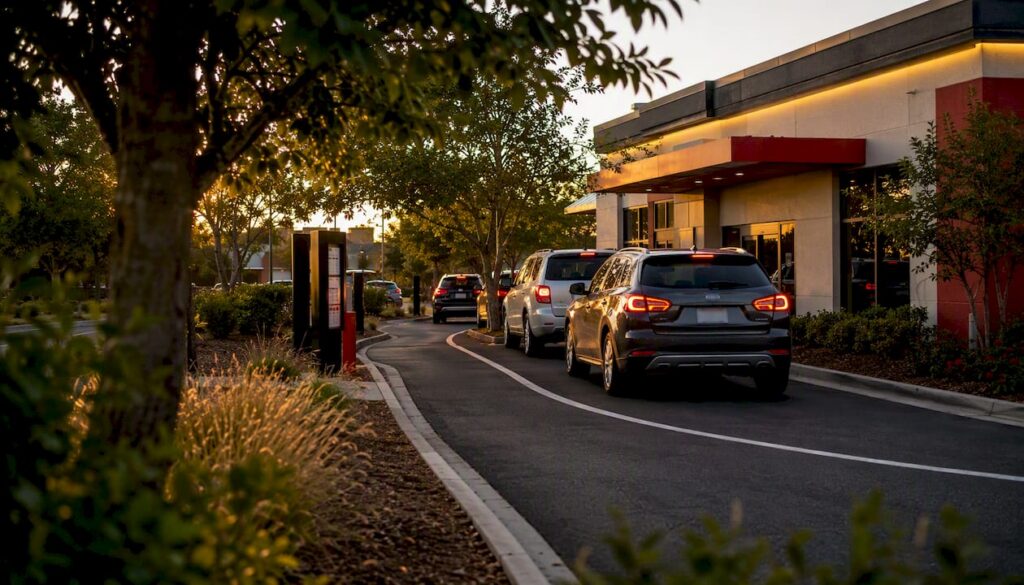
An effective drive-thru lane design processes vehicles safely, keeps queues off the public street, and holds up against neighborhood scrutiny while still moving cars fast. Three controls decide whether a layout succeeds: entrance placement that keeps stacking away from intersections, stacking capacity sized to actual demand, and directional cues clear enough that no driver has to guess where to go next.
Before approving any site plan, run four checks:
- Entrance setback from the public right-of-way and nearest intersection
- Number of striped stacking spaces against projected peak-hour arrivals
- Lane and throat width for the vehicle mix the site will actually serve
- A pedestrian route that never crosses the stacking lane
Clear canopy markers and consistent pavement striping reduce hesitation at order points, which is often the cheapest throughput fix available before construction even starts.
Key Takeaways
Effective drive-thru lane design depends on entrance placement away from intersections, stacking length matched to peak arrivals, and pedestrian paths that never cross the vehicle lane.
| Point | Details |
|---|---|
| Set entrances back from intersections | Keeps queue spillback off the public street and preserves sightlines for turning vehicles. |
| Size stacking to peak demand | Use arrival rate and service time math, not average-day guesses, to set stacking length. |
| Separate pedestrians physically | Raised curbs, islands, and dedicated paths beat paint alone for reducing conflicts. |
| Choose lane configuration by volume | Single lanes suit low volume; double lanes and mobile pickup lanes suit higher digital order share. |
| Coordinate drainage early | Bring civil engineers in before paving to avoid NPDES permitting rework. |
Design decisions like these directly affect a franchise location’s throughput and cost structure, which is exactly the kind of operational detail that shapes Wendy’s restaurant design and company growth. For investors tracking how technology and layout upgrades translate into margin, Buywendys breaks down the financial side in its bull versus bear case on Wendy’s stock.
Table of Contents
- What Site-Level Factors Shape Drive-Thru Lane Design?
- Which Drive-Thru Lane Configuration Fits Your Site?
- How Do You Calculate Stacking Length and Lane Dimensions?
- How Do You Keep Pedestrians and Vehicles Safely Separated?
- Which Pavement, Curb, and Drainage Details Matter Most?
- How Does Ordering Technology Change Lane Layout?
- What Should You Budget for Cost and Timeline?
- What Does the Research Say About Community Fit and Wayfinding?
- Sources
What Site-Level Factors Shape Drive-Thru Lane Design?
Entrance and exit placement decides more about lane performance than almost any other variable on the plan. Keep drive-thru entrances away from intersections and away from the primary curb cut serving general parking, so a backed-up queue never spills into cross traffic. A deeper throat width at the entrance absorbs the first few cars before they commit to the ordering sequence, which matters most during the lunch and dinner rushes when arrivals cluster.
Setback distance from the public road is what actually prevents queue spillback onto the street. The FHWA Roadside Design Guide frames this as a sightline and clear-zone problem: cars turning into the site need enough distance to react before they reach the first stacking position, and drivers exiting need an unobstructed view of oncoming traffic.
Adjacency rules matter just as much. Avoid running a stacking lane directly along a residential property line, and where you can’t avoid it, add a landscape buffer or screening wall. On-site circulation should physically separate the drive-thru lane from parking and delivery routes using curbs or islands, not just paint. A driver hunting for a parking spot should never end up merging across the order lane.
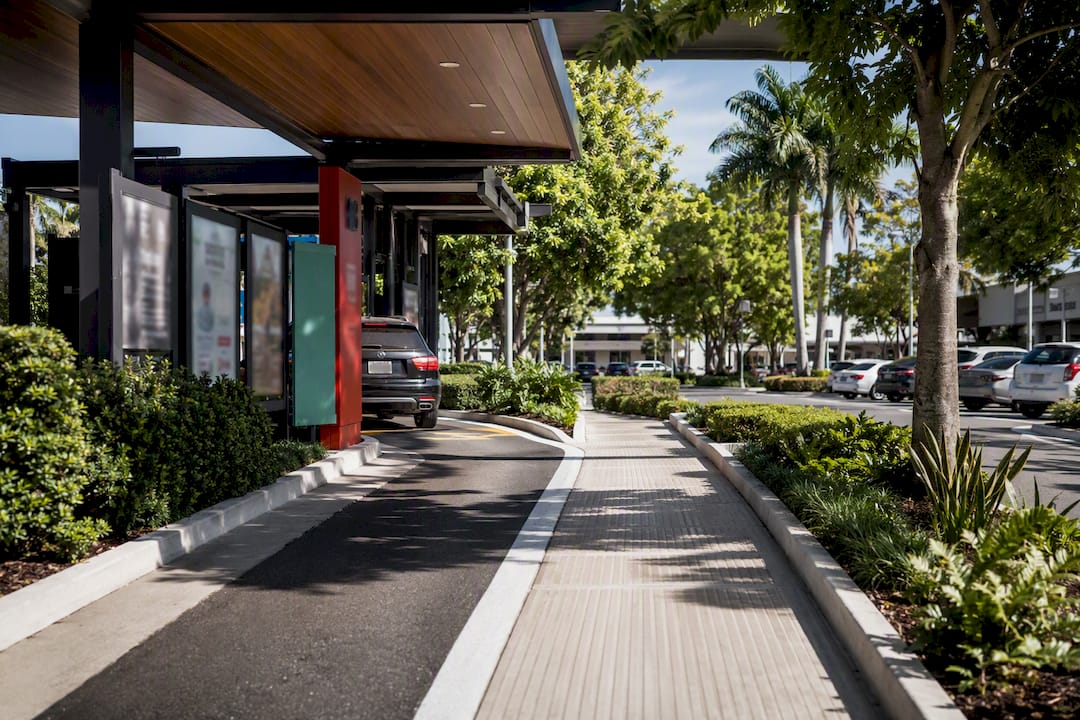
Pro Tip: Walk the site plan as if you’re a delivery driver arriving at 11:45 a.m. If your delivery route crosses the drive-thru lane even once, redesign the circulation before you finalize curb locations.
Which Drive-Thru Lane Configuration Fits Your Site?
Layout choice depends on projected volume, parcel shape, and how much complexity your operations team can actually run well.
- Single-lane layouts work for lower-volume sites or tight parcels, but throughput caps out fast once average service time creeps past 30-40 seconds per car.
- Double-lane and dual-order models roughly double order-taking capacity, though the merge point before the pickup window becomes a common failure spot if it’s not clearly striped and signed.
- Bypass and mobile-order pickup lanes give app and web orders a dedicated path that skips the ordering queue entirely. These need their own signage and a clear merge or separation point so mobile traffic doesn’t collide with standard queue traffic.
- Multi-window and staged designs, including elevated or separated kitchen concepts, add real capacity but also add cost and operational complexity. The 2025 QSR Drive-Thru Report documents a clear industry shift toward exactly this kind of multi-lane staging as digital order volume climbs.
Match configuration to demand, not to what looks impressive on a rendering.
How Do You Calculate Stacking Length and Lane Dimensions?
Lane width, curb type, and stacking length are the dimensions that actually get checked during plan review, and getting them wrong is expensive to fix after paving.
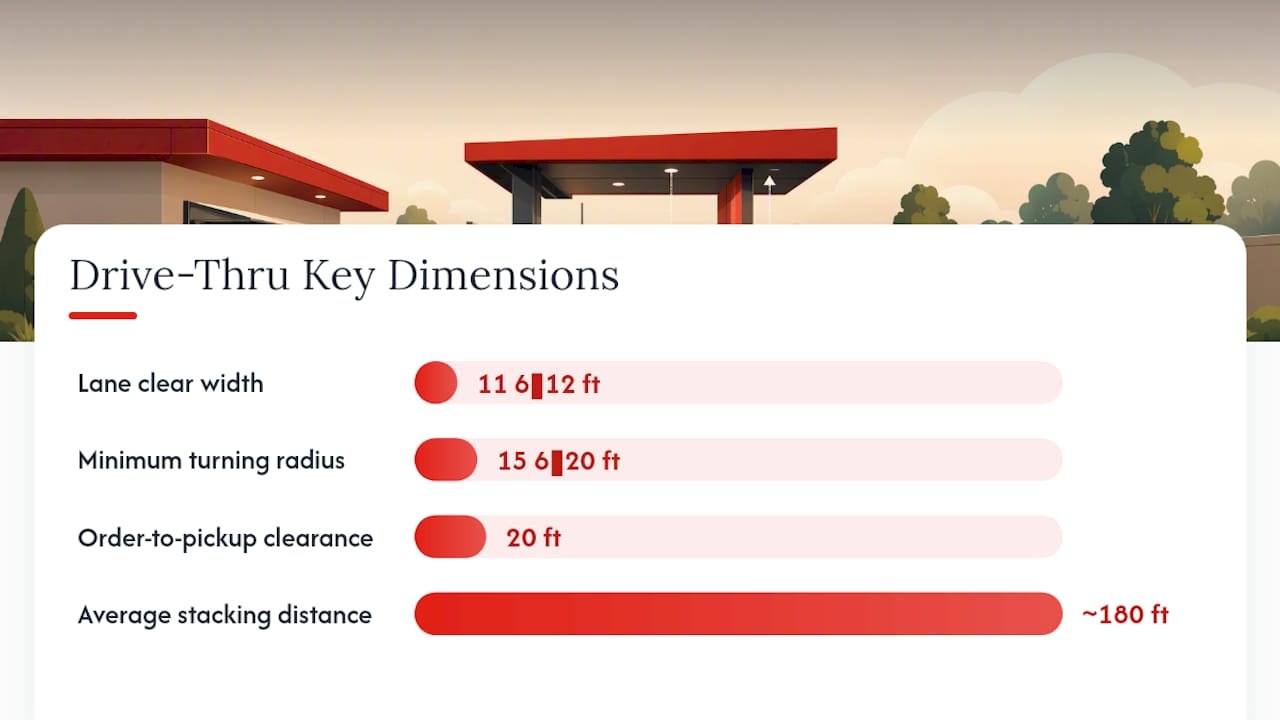
For lane width, plan for at least 11 to 12 feet of clear lane width to comfortably accommodate SUVs and small trucks without scraping mirrors on curb edges. Turning radii at the entrance and around the building should allow a 15 to 20 foot minimum, since sharper turns cause wheel damage on mountable curbs and force drivers to swing wide into adjacent lanes.
Curb selection matters more than most site plans treat it. Mountable curbs work along stacking lanes where an occasional wheel-over is tolerable; barrier curbs belong at pedestrian edges and near landscape islands where you need a hard stop.
Stacking length is where the math actually pays off. Facilities With Drive Thru Lanes on UpCodes references roughly 180 feet as a typical average stacking distance for a single-lane restaurant drive-thru. Here’s a worked example:
- Estimate peak 15-minute arrivals using ITE trip-generation data for the land use, say 30 vehicles.
- Divide by 15 minutes to get an arrival rate of 2 vehicles per minute.
- Multiply by average service time (order plus payment plus pickup, often 1.5 to 2 minutes per vehicle) to estimate simultaneous vehicles in the system, roughly 3 to 4 cars.
- Multiply that count by an assumed vehicle length of 20 feet plus 5 feet of gap, landing near 90 to 100 feet of minimum stacking, before adding a buffer for peak surges.
| Dimension | Typical Range |
|---|---|
| Lane clear width | 11–12 ft |
| Minimum turning radius | 15–20 ft |
| Average stacking distance | ~180 ft |
| Municipal minimum stacking spaces | 10 vehicles (restaurant) |
| Order-point to pickup-window clearance | 20 ft |
The Town of Markham’s drive-through design guidelines set a minimum of 10 on-site stacking spaces for restaurants and recommend residential setbacks in the 30 to 60 meter range, a useful benchmark when your municipality doesn’t publish its own figure.
How Do You Keep Pedestrians and Vehicles Safely Separated?
Pedestrian conflict is the single most common oversight in drive-thru retrofits, and it’s the one code reviewers flag first. The U.S. Department of Transportation’s pedestrian and bicycle safety guidance calls for physically separating pedestrian, bicycle, and vehicle flows rather than relying on paint alone.
- Use raised walkways, curbs, or planting islands as physical barriers, not just striped crosswalks.
- Route pedestrian paths so they never cross the stacking lane; where a crossing is unavoidable, use contrasting surfacing and dedicated signage.
- Check sightlines at the order point and exit so drivers see pedestrians before committing to a turn, and add lighting that eliminates blind spots without throwing glare onto neighboring properties.
- Provide an accessible pedestrian route from parking to the entrance and, where applicable, an ADA-compliant pickup accommodation for customers who can’t use the vehicle lane.
Pro Tip: If your walkway and drive-thru exit share a sightline, test it at dusk. Headlight glare that’s fine at noon can blind a pedestrian crossing at 6 p.m. in December.
Which Pavement, Curb, and Drainage Details Matter Most?
High-turnover stacking lanes need a heavier pavement section than the general parking field, since idling and accelerating traffic stresses asphalt differently than parked cars. Use mountable curbs along the lane edge for durability and barrier curbs at pedestrian and landscape boundaries.
- Add raised islands or knock-down curbs at merge points to physically enforce lane separation.
- Choose thermoplastic markings over painted stripes for high-traffic lanes; they hold up far better in wet weather and under nighttime headlights.
- Grade the lane to avoid ponding at the order point or pickup window, and coordinate stormwater design with EPA NPDES permitting requirements early, since retrofitting drainage after paving is expensive.
Pro Tip: Bring your civil engineer into the drainage conversation before the site plan is finalized, not after the paving contractor is already scheduled.
How Does Ordering Technology Change Lane Layout?
Order-point placement and canopy height indicators cut down on the confusion that causes cars to stall mid-lane. Mobile-order check-in lanes need their own sizing and signage so app-based pickups don’t cross paths with standard queue traffic, a design problem the 2025 QSR Drive-Thru Report flags as increasingly common industry-wide.
- Digital menu boards and tablet ordering deeper in the queue require cable routing and staging space that has to be planned into the lane cross-section, not bolted on later.
- POS integration and intercom placement affect where staff physically stand, which in turn affects window clearances.
- Confirm order-point sightlines from the drive-thru lane before finalizing canopy location.
- Size the mobile pickup lane separately from the main queue, with its own entry sign.
- Reserve staging space near the pickup window for delivery-driver holds during peak periods.
Wendy’s own rollout of FreshAI illustrates how voice-ordering technology reshapes staging needs at the order point, a pattern worth watching as more chains adopt similar systems.
What Should You Budget for Cost and Timeline?
Pavement, curb work, drainage upgrades, signage, and technology fit-out drive most of the construction cost on a drive-thru retrofit or new build. Permitting adds its own line items: queuing studies, municipal design guideline reviews, and sometimes noise or light studies where the site borders residential property.
- Concept and site study, including a queuing study if your municipality requires stacking justification.
- Municipal review and permitting, which can stretch out significantly if a variance from standard setbacks is needed.
- Construction: paving, curb and island work, drainage tie-ins.
- Technology commissioning: menu boards, POS integration, intercom testing.
- Pre-consult with municipal planning staff before submitting formal plans.
- Submit a queuing study early if stacking minimums are in question. It’s far cheaper to adjust on paper than in asphalt.
What Does the Research Say About Community Fit and Wayfinding?
DOT and municipal guidance consistently prioritizes pedestrian safety over marginal throughput gains, recommending landscape buffers and setbacks from intersections as standard practice rather than exceptions. The City of Kitchener’s urban design guidelines for drive-through facilities require continuous pedestrian paths that never cross the drive-thru aisle, alongside defined minimums for stacking bays and throat width.
Directional clarity, consistent canopy height, repeated pavement markings, and unambiguous signage have a measurable effect on reducing stalls at the order point. A queuing study grounded in ITE trip-generation data is the most defensible way to validate site-specific stacking needs against a municipality’s published minimum.
Pro Tip: When a municipal minimum and your own queuing study disagree, submit the study. Reviewers generally accept site-specific data over generic code minimums when the math is sound.
A Practitioner’s Note on Common Design Oversights
The two mistakes that show up again and again on rejected plans: stacking sized for average demand instead of peak demand, and pedestrian paths that quietly cross the lane somewhere the renderings didn’t show. Fix stacking capacity first. Everything else on the plan is easier to correct later.
Sources
- U.S. Department of Transportation — Pedestrian and Bicycle Safety
- Facilities With Drive Thru Lanes | UpCodes
- The 2025 QSR® Drive-Thru Report — QSR Magazine
Recommended
- Wendy’s Store Experience vs. McDonald’s and Burger King: Layout, Cleanliness, Drive-Thru, Wi-Fi, Restrooms, and Investor Analysis – Buy Wendy’s
- Wendy’s Restaurant Design and Company Growth – Buy Wendy’s
- AI Automation in Fast Food: Technology, Impact & Future
- Wendy’s FreshAI: The Definitive Guide to the Drive-Thru AI That Outlasted McDonald’s – Buy Wendy’s